
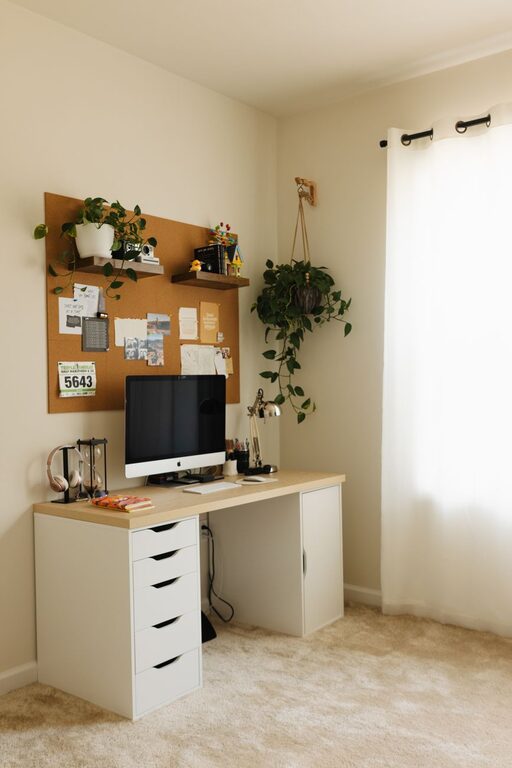
Creating a home workspace that balances comfort and functionality is key to staying motivated and productive throughout the day. Whether you have a dedicated room or just a small corner, setting up a cozy and effective workspace can make a big difference in your daily routine. Here are some helpful tips to guide you in designing a home office that suits your needs and style.
Choose the Right Location
Selecting the best spot for your workspace is the first step. Ideally, pick a space with plenty of natural light to reduce eye strain and boost your mood. If a separate room isn’t available, consider a quiet corner away from distractions.
– Near a window: Natural light improves focus and creates a cheerful environment.
– Low-traffic areas: Avoid busy parts of the house to minimize interruptions.
– Sufficient space: Ensure there’s enough room for your desk, chair, and other essentials.
Invest in Comfortable, Supportive Furniture
Comfort is crucial when spending hours working at home. An ergonomic chair and a sturdy desk can prevent discomfort and health issues like back pain.
– Ergonomic chair: Look for adjustable height, lumbar support, and comfortable padding.
– Desk size: Choose a desk that fits your equipment and allows you to work without clutter.
– Add footrests or cushions: These can enhance your seating comfort over long periods.
Optimize Lighting
Besides natural light, good artificial lighting is essential, especially during cloudy days or evening work sessions.
– Task lighting: Use desk lamps with adjustable brightness aimed at your work area.
– Avoid glare: Position monitors and lights to reduce screen glare and shadows.
– Warm vs. cool light: Warm light creates a cozy feel, while cool light helps with alertness.
Organize Efficiently
A well-organized space enhances productivity and keeps your mind clear.
– Use storage solutions: Shelves, drawers, and boxes help keep supplies tidy.
– Declutter regularly: Remove unnecessary items to maintain a neat workspace.
– Accessible essentials: Keep frequently used items within easy reach.
Personalize Your Space
Adding a personal touch can make your workspace inviting and inspiring.
– Decorate with plants: Indoor plants improve air quality and add color.
– Artwork or photos: Display inspiring images or artwork that motivate you.
– Comfort items: Include a cozy blanket or cushions to make the space feel warm.
Manage Noise Levels
A calm, quiet environment supports better concentration.
– Noise-canceling headphones: Useful if you can’t control external sounds.
– Soundproofing: Rugs, curtains, and cushions can reduce ambient noise.
– White noise machines: These can help mask distracting sounds.
Use Technology Wisely
Technology is essential but can also cause clutter or distractions if unmanaged.
– Cable management: Use clips, ties, or boxes to organize cords.
– Quality equipment: Invest in reliable devices that fit your work needs.
– Limit distractions: Turn off non-essential notifications during work hours.
Maintain Good Posture and Take Breaks
Your workspace should encourage healthy habits.
– Monitor height: Position your screen at eye level to avoid neck strain.
– Keyboard and mouse placement: Keep them within comfortable reach.
– Regular breaks: Stand, stretch, and walk around every hour to stay refreshed.
Keep a Consistent Routine
Creating a routine helps separate work from leisure time, even within the same space.
– Set working hours: Define when you start and finish your workday.
– Morning preparation: Treat your workspace as a professional setting.
– End-of-day rituals: Clear your workspace to signal the day’s end.
—
By combining these tips, you can craft a home workspace that feels welcoming and supports your productivity. Remember, the best workspace reflects your unique needs and preferences, so feel free to experiment until you find what works best for you. Happy decorating and working!
Related Posts

Practical Tips for Creating a Productive Home Office Space
Working from home has become increasingly common, making it essential…

Tips for Creating a Cozy and Inviting Living Room Space
Creating a cozy and inviting living room is a wonderful…
Tips for Creating a Cozy and Productive Home Workspace
Creating a home workspace that is both cozy and productive…